
Shop
-

Abbott FreeStyle Precision Test Strips (50 strips)
1335.00 ₴FreeStyle Precision are high-precision blood glucose test strips developed by Abbott. They are designed to be used with the FreeStyle Precision family of blood glucose meters and provide fast, reliable results in home and clinical settings. Thanks to their ease of use and high accuracy, these test strips help to effectively monitor blood glucose levels and adjust diabetes treatment.
Can I measure my blood sugar with the Freestyle Libre 3 receiver?
Yes, FreeStyle Libre 3 has a built-in glucose meter. For measurements, use only FreeStyle Precision test strips.
Benefits and features
- High accuracy: Test strips provide consistent and accurate measurement results.
- Ease of use: Thanks to special technology, blood collection is fast and the automatic sample detection system minimizes errors.
- Small blood volume: The analysis requires a minimal amount of blood, which makes the procedure less painful.
- Fast results: FreeStyle Precision glucose meters typically provide results within seconds.
How to use
- Wash your hands with soap and water and dry thoroughly.
- Take the lancet device and make a puncture on the side of your fingertip.
- Put a drop of blood on the test strip inserted into the glucose meter according to the instructions.
- Wait until the glucose meter displays the blood glucose reading.
- Dispose of the used lancet and test strip according to the safety instructions.
Specifications.
- Manufacturer: Abbott
- Compatibility: FreeStyle Precision glucometers (check specific models with the manufacturer or instructions), Freestyle Libre 3 receivers
- Type of measurement: Electrochemical
- Number of test strips per package: (usually 50, check the actual number on the package)
- Expiration date: As stated on the package (follow storage instructions)
Storage conditions.
- Store in the original bottle or packaging, protecting from moisture and direct sunlight.
- Observe the temperature conditions recommended by the manufacturer.
Warnings.
- Before using the glucose meter for the first time, carefully read the instruction manual for the glucose meter and test strips.
- Use the strips only for single measurements.
- In case of doubt or inaccurate results, consult your doctor.
Notice.
This information is provided for informational purposes only and is not a substitute for medical advice. If you have any questions about the use or interpretation of the results, please contact a qualified medical professional. -
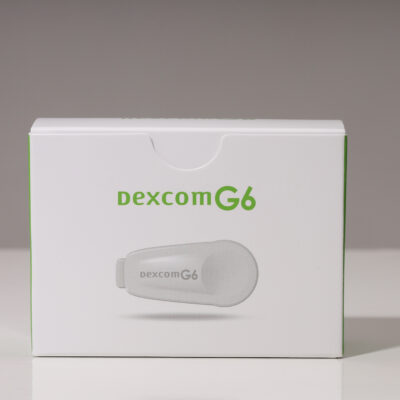
Dexcom G6 transmitter
6299.00 ₴⚠ Please note: the Dexcom G6 transmitter works only with Dexcom G6 sensors — it is not compatible with Dexcom G7 or Dexcom ONE+ (their transmitter is built into the sensor).
Transmitter lifespan is up to 3 months from activation; the battery cannot be replaced. We recommend ordering a new one in advance: the Dexcom app warns about the end of its life about 3 weeks ahead.
Dexcom G6 transmitter — the heart of the Dexcom G6 continuous glucose monitoring system. It clips into the sensor and sends glucose readings via Bluetooth in real time to a smartphone or Dexcom receiver — every 5 minutes, day and night. It’s 28% thinner than the previous generation, so it stays discreet under clothing.
Key benefits
- Up to 3 months of use: one transmitter serves up to 9 sensors in a row (each sensor lasts 10 days).
- Real-time transmission: readings update every 5 minutes via Bluetooth.
- Slim profile: 28% thinner than the previous generation — won’t catch on clothing.
- Simple setup: enter the serial number (SN) in the Dexcom G6 app and the system starts working.
- Pump integration: the Dexcom G6 transmitter is exactly what connects to Omnipod 5 and Tandem t:slim X2.
How it works
- The Dexcom G6 sensor attaches to the body and measures glucose levels.
- The transmitter clips into the sensor and stays locked in place for the whole wear time.
- Readings are sent to a smartphone with the Dexcom G6 app or to a Dexcom receiver.
- Once a sensor has run its 10-day course, the transmitter moves into a new sensor — repeating for up to 3 months.
Related products
- Dexcom G6 sensor — the required pair for the transmitter.
- Dexcom G6 3-month kit (9 sensors + transmitter) — everything at once, and cheaper than buying separately.
- Fixic patches for Dexcom G6 (25 pcs.) — waterproof fixation for the sensor with transmitter: sport, showers, swimming.
- Dextro Energy ImmunFit — fast-acting glucose for hypoglycemia, handy to keep close by.
FAQ
How long does the Dexcom G6 transmitter last?
Up to 3 months (90 days) from activation in the app. During that time it serves up to 9 sensors in a row.Can the transmitter’s battery be replaced?
No, the battery is non-removable — once its life ends, the transmitter is replaced with a new one. The Dexcom app will warn you about the end of its life about 3 weeks ahead, so you have time to order a replacement.Does this transmitter fit Dexcom G7 or ONE+?
No. Dexcom G7 and Dexcom ONE+ systems have the transmitter built directly into the sensor — no separate one is needed. This transmitter is designed only for Dexcom G6 sensors.How do I connect the transmitter to the app?
In the Dexcom G6 app, enter the serial number (SN) printed on the box and on the transmitter itself — the connection happens automatically once the sensor is applied.Order your Dexcom G6 transmitter on time so your monitoring system runs without interruption. Delivery across Ukraine. Loyalty program members earn points on every purchase.
-
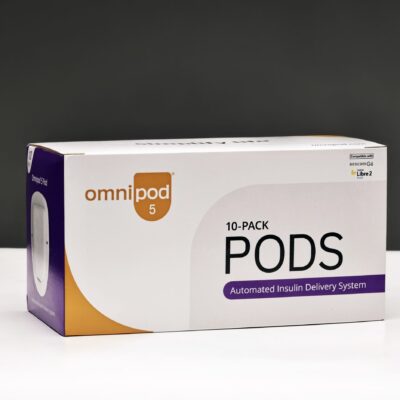
Omnipod 5 Pods — Replacement pods for the Omnipod 5 insulin pump (10 pcs.)
14500.00 ₴This product has multiple variants. The options may be chosen on the product pageOmnipod 5 Pods are disposable wearable modules from Insulet Corporation that form the core of the Omnipod 5 tubeless automated insulin delivery system — an insulin pump that operates without tubing and continuously adjusts insulin delivery based on glucose levels, integrating with a monitoring system. Each Pod attaches directly to the skin and contains a built-in micro-pump, an insulin reservoir, and the SmartAdjust™ algorithm, which automatically adjusts insulin delivery every 5 minutes based on data from a CGM sensor (Dexcom G6, G7, or FreeStyle Libre 2 Plus). A single Pod provides up to 72 hours (3 days) + 8 additional hours of continuous insulin delivery without injections or external tubing.
❓ Frequently Asked Questions
How much insulin can the Pod hold?
The Pod can be filled with up to 200 units of U-100 insulin. The minimum amount required for activation is 85 units.Is the Pod waterproof?
Yes. The Pod has an IP28 waterproof rating: tested at depths of up to 7.6 m for 60 minutes. You can swim, shower, and exercise without removing the Pod.Where can you place the Pod on your body?
You can attach the Pod almost anywhere you would normally give yourself an insulin injection: the abdomen, the outer part of the shoulder, the thigh, the lower back, or the buttocks. Check with your doctor for recommended sites.Do you need to adjust the Pod manually?
No. The SmartAdjust™ algorithm is built directly into the Pod and automatically adjusts insulin delivery every 5 minutes. Bolus doses before meals are administered via the remote control.Which insulins is the Pod compatible with?
The Pod is compatible with U-100 rapid-acting insulin analogs: NovoRapid (aspart), Humalog (lispro), and Admelog (lispro). Use of other insulins must be approved by your doctor.✅ Advantages and Features
No external tubing: The Pod attaches directly to the skin without any external tubing. No restrictions on movement, no snagging on clothing or furniture.
Built-in SmartAdjust™ algorithm: The algorithm is located directly in the Pod, not in an external device. This means the system continues to automatically deliver and adjust insulin even if the remote or smartphone is far away from you.
Automatic cannula insertion: A small, flexible cannula is inserted automatically when the Pod is activated—you won’t see it and will barely feel it.
72 hours + 8 hours of continuous operation: A single Pod provides up to 3 days plus 8 additional hours of continuous, automatic insulin delivery. When the Pod’s lifespan ends, it is replaced with a new one.
IP28 water resistance: The Pod is protected against submersion to a depth of 7.6 m for 60 minutes, so it doesn’t need to be removed while bathing, showering, or swimming.
Discreet and comfortable: Thanks to its compact size (5.2 × 3.9 × 1.45 cm) and light weight (26 g), the Pod is virtually invisible under clothing.
Proactive protection against hypoglycemia: The algorithm analyzes CGM trends and predicts glucose levels up to 60 minutes in advance, automatically reducing or suspending insulin delivery to prevent hypoglycemia.
No daily injections: The Pod completely replaces multiple daily insulin injections, significantly improving the quality and comfort of daily diabetes management.
📋 How to set up the Pod
- Prepare a new Pod: Remove it from the packaging and check the expiration date.
- Using a syringe or a special filler, fill the Pod with no less than 85 and no more than 200 units of rapid-acting U-100 insulin through the filling port.
- Choose an application site on your body: abdomen, shoulder, thigh, lower back, or buttocks. Rotate sites to minimize skin irritation.
- Clean the skin with an alcohol wipe and wait for it to dry.
- Remove the protective film from the adhesive side of the Pod and attach it to the skin.
- Use the remote to press “Activate Pod”—the cannula will be inserted automatically.
- Confirm successful activation and the start of system operation on the remote control or smartphone.
- After 72 + 8 hours (or when the system alerts you), deactivate the Pod and replace it with a new one.
🔧 Technical Specifications
Manufacturer Insulet Corporation (USA) Pod Dimensions 5.2 × 3.9 × 1.45 cm Pod Weight 26 g Tank capacity Up to 200 units of U-100 insulin Minimum volume for activation 85 U-100 units Wear time Up to 72 hours + 8 hours (3 days + 8 hours) Water resistance IP28 (up to 7.6 m / 25 ft for 60 min) Wireless connectivity Bluetooth (with remote) Built-in algorithm SmartAdjust™ Feed rate adjustment frequency Every 5 minutes Glucose forecast Up to 60 minutes in advance Cannula insertion Automatic Compatible Insulins U-100 rapid-acting: NovoRapid, Humalog, Admelog Compatible CGMs Dexcom G6, Dexcom G7, FreeStyle Libre 2 Plus Control Omnipod 5 Controller (PDM) Indications Type 1 diabetes (ages 2 and up), Type 2 diabetes (ages 18 and up) Quantity per package 10 Pods Intended Use Single-use 🌡️ Storage conditions
- Store the Pods at room temperature between +15°C and +30°C.
- Do not freeze or expose to direct sunlight.
- Do not use the Pod after the expiration date printed on the packaging.
- Do not use a Pod if the packaging is damaged or open.
- Store a filled Pod at a temperature between +15°C and +30°C and use it within 72 hours after activation.
- Once activated, the Pod does not need to be removed, even during water activities.
⚠️ Warning
- The Pod is a single-use medical device. Reuse is strictly prohibited.
- Before using the system for the first time, receive training from a qualified healthcare professional or an Insulet representative.
- The Pod is compatible exclusively with the Omnipod 5 system—do not attempt to use it with other devices.
- Always keep the remote or smartphone within Bluetooth range of the Pod to ensure stable system operation (typically up to 4.5 m).
- If the Pod emits an error signal or malfunctions, deactivate it and install a new one according to the instructions.
- If you suspect hypoglycemia, always check your glucose level using the traditional method (test strips) and consult your doctor.
⚠️ Important Before Purchasing
All information on this page is provided for informational purposes only and does not constitute medical advice, a recommendation, or a prescription. Omnipod 5 Pods are consumables for a medical device and require prior consultation with a qualified healthcare professional before use.
The decision to purchase and use the product is made by the buyer independently, knowingly, and at their own discretion. Goodsugar.com.ua assumes no liability for any consequences of using or not using the product, including harm to health, improper use, or incompatibility with existing treatment.
If you have any doubts or questions, please consult a qualified endocrinologist or diabetologist.
-
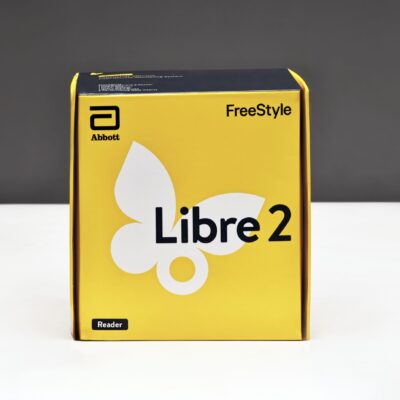
Abbott Freestyle Libre 2 reader
5999.00 ₴If your phone is not compatible with the free FreeStyle LibreLink app for FreeStyle Libre 2 or FreeStyle Libre 2 Plus, you can use the optional reader.
- Operation: simple to use with just one button
- Battery: lasts 2–3 days with daily use
- Storage: can store up to 90 days of data
Can I use my FreeStyle Libre 2 reader and FreeStyle LibreLink app with the same FreeStyle Libre 2 Sensor for glucose readings?
If you want to use the Reader and the app on the same Sensor, follow these steps:
1. You MUST use your Reader to start a new Sensor. A Sensor started with the app cannot be used with the FreeStyle Libre 2 reader
2. Once the Sensor is started with the Reader, open your app and scan your Sensor with the app
3. Once the Sensor has warmed up, you can use either the app or the Reader to check glucose for up to 14 days
4. Scan the Sensor with the Reader or app within an 8-hour time period to avoid gaps in dataRemember that the FreeStyle LibreLink app and FreeStyle Libre 2 readers do not share data with each other. For example, if you switch between your Reader and the app, you may see gaps in your glucose data, which will affect the reports available through the Reader, the FreeStyle LibreLink app, and LibreView. It is important to continue scanning your Sensor with either the app or the Reader at least once every eight hours so you and your healthcare professional can get a complete picture of your glucose trends and patterns.
-
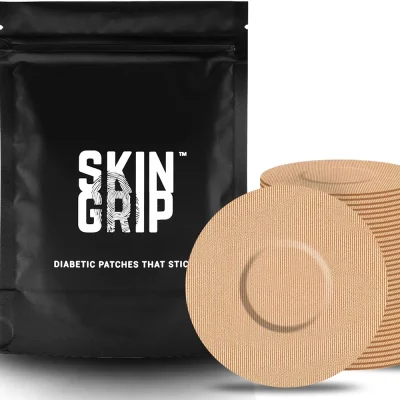
FreeStyle Libre 3 Skin Grip Sensor Patches (20 units)
1899.00 ₴This product has multiple variants. The options may be chosen on the product pageCGM Libre 3 Skin Grip Sensor Patches feature quick drying technology that provides waterproof and sweatproof protection, giving you peace of mind while exercising, showering or swimming.
Freestyle Libre 3 Skin Grip Sensor Patches are comfortable, breathable and made in an FDA registered facility. They are made from 100% medical grade viscose material that is latex and zinc oxide free and are hypoallergenic for a non-irritating feel.
Skin Grip are designed to be discreet, with adhesive patches only 5cm in diameter. They are so thin and comfortable that you will barely notice they exist. The dynamic elastic material moves with your body to avoid skin irritation. They also have five tabs for quick and easy application. -
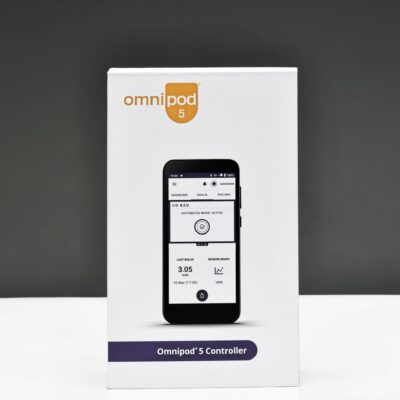
Omnipod 5 Controller (PDM) — Insulin Pump Controller
24000.00 ₴The Omnipod 5 Controller (PDM — Personal Diabetes Manager) is a control device from Insulet Corporation designed to manage the Omnipod 5 tubeless automated insulin delivery system — an insulin pump that operates without tubing and continuously adjusts insulin delivery based on glucose levels, integrating with a monitoring system. The controller connects to the Pod via Bluetooth and, together with a compatible CGM sensor (Dexcom G6, G7, or FreeStyle Libre 2 Plus), provides fully automatic insulin adjustments every 5 minutes—day and night.
Frequently Asked Questions
Is the Omnipod 5 Controller waterproof?
No. The Controller (PDM) is not waterproof. Only the Pod is waterproof (IP28 rating: up to 7.6 m deep for 60 minutes). The Controller should be kept away from water.Who is the Omnipod 5 system intended for?
The Omnipod 5 system is approved for people with type 1 diabetes aged 2 and older and those with type 2 diabetes aged 18 and older.Which CGM sensors are compatible with the Omnipod 5?
The Omnipod 5 system is compatible with the Dexcom G6, Dexcom G7, and FreeStyle Libre 2 Plus. The sensor transmits glucose data directly to the Pod, where the SmartAdjust™ algorithm determines the insulin dose.How often does the algorithm adjust insulin delivery?
The SmartAdjust™ algorithm, built directly into the Pod, automatically increases, decreases, or pauses insulin delivery every 5 minutes based on CGM data and a glucose forecast up to 60 minutes in advance.Benefits and Features
The SmartAdjust™ algorithm in the Pod: The algorithm is built directly into the Pod—it analyzes your current glucose level and trend from the CGM and automatically adjusts your basal insulin delivery every 5 minutes without any action required from you.
Glucose forecast up to 60 minutes in advance: The system predicts future glucose levels and responds proactively, even before deviations from the target range occur.
Customizable glucose target range: The target range of 6.1–8.3 mmol/L is set individually to meet the patient’s needs.
SmartBolus Calculator: Takes into account the current CGM glucose level, its trend, and insulin on board (IOB) to accurately calculate the pre-meal bolus dose.
Activity Mode: Raises the target level to 8.3 mmol/L and reduces automatic insulin delivery for a selected period (1 to 24 hours)—ideal for exercise.
Data Transfer via SIM Card or Wi-Fi/Bluetooth: The built-in prepaid SIM card in the controller automatically uploads data to the Glooko platform without the need for a cable connection.
Bluetooth connectivity: The Controller maintains constant two-way communication with the Pod via low-energy Bluetooth.
Rechargeable battery: The built-in lithium-ion battery charges via a standard USB-C cable.
How to Use
- Charge the Controller using a USB-C cable before first use.
- Enter the settings recommended by your doctor: target glucose level, basal rates, bolus factors, and correction factors.
- Install and activate the Pod (sold separately), and fill it with insulin according to the instructions.
- Connect a Dexcom G6, G7, or FreeStyle Libre 2 Plus CGM sensor—it will automatically begin transmitting data to the Pod.
- The system will switch to automatic mode: the SmartAdjust™ algorithm will adjust insulin delivery every 5 minutes.
- If needed, use the SmartBolus calculator on the Controller or in the app to administer a bolus before a meal.
- Check your data regularly in the app and on the Glooko platform, and share your reports with your doctor.
Technical Specifications
Manufacturer Insulet Corporation (USA) Model PDM-H001-G-XX Dimensions 14.4 × 6.76 × 1.24 cm Weight 165 g Battery Lithium-ion, rechargeable Charging USB-C Wireless connectivity Bluetooth (connection to the Pod and CGM) Data transfer Built-in SIM card, Wi-Fi, Bluetooth CGM compatibility Dexcom G6, Dexcom G7, FreeStyle Libre 2 Plus Algorithm SmartAdjust™ Target glucose level 6.1–8.3 mmol/L — customizable Correction frequency Every 5 minutes Glucose forecast Up to 60 minutes ahead Water resistance NOT waterproof Indications Type 1 diabetes (ages 2 and up), Type 2 diabetes (ages 18 and up) Interface language English Data platform Insulet Glooko Storage and Care
- Store at room temperature, protecting from excessive moisture, direct sunlight, and temperature fluctuations.
- Do not submerge the Controller in water—the device is not waterproof.
- Charge the battery regularly and avoid letting it run completely out of power.
- Software updates are installed automatically via Wi-Fi or a cellular network.
- When flying, enable “Airplane Mode” on the Controller—Bluetooth remains active and the connection to the Pod is maintained.
Warning
- The Controller is a medical device and must be used strictly in accordance with the manufacturer’s instructions and your doctor’s recommendations.
- Do not use the device on your own without prior training from a qualified healthcare professional.
- The Pod and CGM sensor are sold separately.
- The Controller is not compatible with Omnipod DASH Pods or older versions of Omnipod.
- In the event of a system malfunction or if you have any concerns about the device’s operation, contact Insulet technical support or your doctor immediately.
- The device is not waterproof—avoid exposure to liquids.
Important Before Purchasing
All information on this page is provided for informational purposes only and does not constitute medical advice, a recommendation, or a prescription. The Omnipod 5 Controller is a medical device and requires prior consultation with a qualified healthcare professional before use.
The decision to purchase and use the product is made by the buyer independently, knowingly, and at their own discretion. Goodsugar.com.ua assumes no liability for any consequences of using or not using the product, including harm to health, improper use, or incompatibility with existing treatment.
If you have any doubts or questions, please consult a qualified endocrinologist or diabetologist.
-
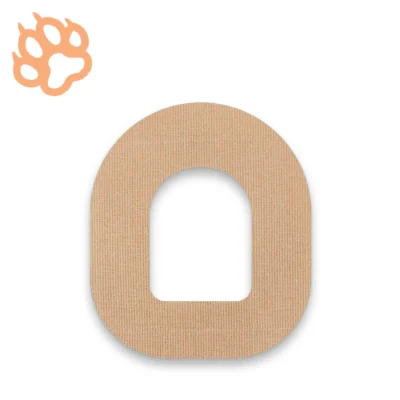
Omnipod Adhesive Patches by FixiC – Pack of 25
1299.00 ₴FixiC’s adhesive patches are specifically designed for secure and comfortable attachment of Omnipod systems. Made from high-quality materials, they provide long-lasting fixation while allowing the skin to breathe. The neutral tan color makes the patch discreet, perfect for both everyday wear and athletic activities.
Key Benefits & Features
- Reliable Fixation: Stays firmly in place even during intense physical activities or exposure to moisture.
- Waterproof: Resistant to water and sweat, enabling you to shower or swim with confidence.
- Comfortable to Wear: Soft materials reduce the risk of irritation, ensuring comfort throughout the day.
- Pre-Cut Design: Allows for quick and easy application, saving time and effort.
- Universal Fit: Suitable for most users and can be easily positioned to accommodate the Omnipod.
How to Use
- Clean and thoroughly dry the area where the Omnipod will be placed.
- Remove the protective backing from one side of the patch.
- Center the Omnipod in the middle of the patch and apply it to the skin.
- Slowly peel off the remaining backing while pressing the patch firmly onto the skin.
- Make sure the patch is secure without any wrinkles or air bubbles.
Safety Tips
- Store patches in a dry place, away from direct sunlight.
- Check the expiration date indicated on the packaging.
- If you experience any irritation, redness, or discomfort, discontinue use and consult a healthcare professional.
What’s Included
- 25 tan FixiC adhesive patches designed for Omnipod
Note
The information provided here is for reference only and does not replace professional medical advice. If you have any questions regarding use or experience unusual reactions, please consult your doctor or a qualified healthcare specialist. -

Abbott FreeStyle Precision ß-Ketone Test Strips (10 strips)
1865.00 ₴FreeStyle Precision β-Ketone Test Strips are designed to measure the level of ketone bodies (beta-hydroxybutyrate) in the blood. Manufactured by Abbott, they work in conjunction with the FreeStyle Precision family of devices, ensuring accurate and rapid results. Monitoring ketone levels is important for individuals following a ketogenic diet as well as for those with diabetes who may be at risk of developing ketoacidosis.
Can I measure my blood sugar with the Freestyle Libre 3 receiver?
Yes, FreeStyle Libre 3 has a built-in glucose meter. For measurements, use only FreeStyle Precision test strips.
Benefits and Features
- High Measurement Accuracy: Abbott’s specialized technology delivers reliable results with minimal margin of error.
- Fast Results: Each test takes only a few seconds, allowing for quick responses to any deviations in ketone levels.
- Easy to Use: Compatible with FreeStyle Precision glucometers; the measurement process is intuitive.
- Health Control: Regular ketone monitoring helps prevent critical complications in diabetes and supports more effective adherence to a ketogenic diet.
How to Use
- Wash and dry your hands thoroughly.
- Turn on the glucometer and insert a FreeStyle Precision β-Ketone Test Strip into the designated port.
- Use a lancing device to obtain a small drop of blood.
- Apply the blood drop to the sensor area of the test strip.
- Wait for the glucometer to display the ketone level.
- Dispose of the used test strip and lancet according to safety guidelines.
Technical Specifications
- Manufacturer: Abbott
- Compatibility: FreeStyle Precision glucometers (check the specific model compatibility with the manufacturer or the product manual)
- Measurement Type: Electrochemical
- Number of Test Strips per Package: Typically 10 (verify the exact number on the packaging)
- Expiration Date: Indicated on the package (follow the recommended storage instructions)
Storage Conditions
- Store in the original vial/packaging, protecting from direct sunlight and moisture.
- Adhere to the temperature range recommended by the manufacturer.
Warnings
- Before first use, read the instructions for both the glucometer and the test strips carefully.
- Use test strips only once and only up to the printed expiration date.
- If you have any doubts regarding your results or health condition, consult a medical professional.
Note
This description is provided for informational purposes only and does not replace professional medical advice. For any additional questions about usage or interpretation of the results, please consult a qualified healthcare specialist. -
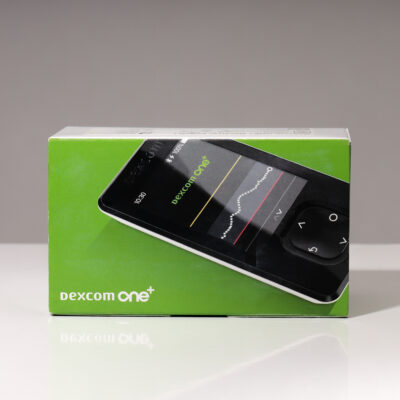
Dexcom ONE+ receiver (mmol/l)
5999.00 ₴The Dexcom ONE+ receiver is an element of the Dexcom ONE+ continuous glucose monitoring (CGM) system. The receiver is an optional device that receives and displays glucose data.
The entire Dexcom ONE+ system is a CGM system, meaning it sends real-time data to the device, requires no scanning or calibration, has editable alerts, and is characterized by exceptional accuracy even with fluctuating glucose levels.
Dimensions and weight 93 mm x 50 mm x 11.9 mm (length x width x height) | 55 g Memory capacity 180 days Data transmission range and frequency 6 meters, 2.4 GHz Bluetooth Low Energy (BLE) Power supply. Rechargeable battery that lasts up to 7 days Storage and operating conditions Temperature: 0-40°C | Humidity: 10-90% relative humidity Warranty 1 year Trend chart 1-, 3-, 6-, 12-, 24-hour standard trend graph Trend arrows Rapid rise/decline, rise/decline, steady rise/decline, steady Signals High and low level Glucose information Average glucose level for 3, 7, 14, 30, 90 days Average glucose level Glucose Management Index (GMI) Time in range Compatibility with previous Dexcom systems The Dexcom ONE+ system is not compatible with any previous generations of sensors.


